Network Requirements
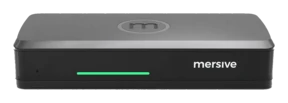
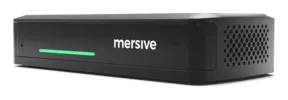
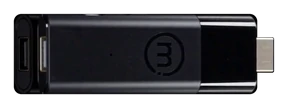
All Mersive devices require an internet connection with DNS resolution enabled. Sharing takes place via WebRTC, so user devices do not need to connect to the same local network as the Mersive device, provided the required firewall rules permit access.
User devices connected to isolated guest networks can cause sharing issues, as network isolation prevents peer-to-peer connections. When you determine which network users should connect to for sharing with a Mersive device, include that information in the Custom Instructions for the device(s) so users will see it on the display.
To accommodate networks of varying sizes and complexity, these instructions include scenarios for implementing on networks ranging from simple to highly complex. Coordinate with your IT administrator or network team to ensure connectivity is available.
In this section
- Google Public STUN ServerThe STUN server is used to connect across the Internet and between enterprise networks that are not configured to communicate with each other but can connect via hairpinning.
- Firewall ExceptionsCertain outbound URLs require firewall exception rules to allow Mersive devices and applications to communicate with relevant services. Not all firewalls leverage URL-targeted…
- Sharing ProtocolsSharing protocols such as AirPlay, Chromecast, Miracast, and WebRTC operate differently depending on the connection type. With direct wireless connections (such as Wi-Fi Direct…
- Network Implementation ConsiderationsConsult your IT or network administrator for guidance and implementation. The scenarios provided are intended only to demonstrate the connectivity requirements for Mersive…
- Performance Impacts Due to Network FactorsHere are some examples of performance impacts due to network conditions:
- Recommended Network Performance MetricsYou can use these tools to check your network’s metrics:
- Wireless Connection